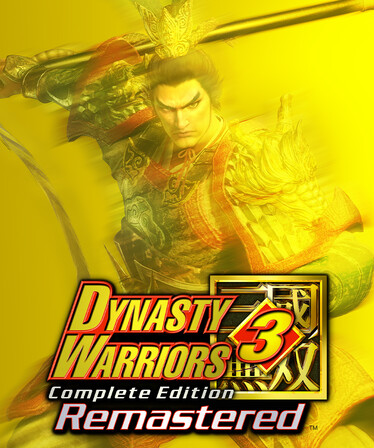
DYNASTY WARRIORS 3: Complete Edition Remastered. Experience a special demo version of the Battle of Hulao Gate while playing as Zhao Yun, Guan Yu, Xiahou Dun, Zhen Ji, Zhou Yu, and Sun Shangxiang.
A striking revival of DYNASTY WARRIORS 3 and DYNASTY WARRIORS 3: Xtreme Legends, which established the foundation of the entire series. The complete cast of more than 40 officers and numerous battlefields beautifully recreated using Unreal Engine 5. Experience even more enjoyable and thrilling action as you aim for the peak of 1 vs. 1,000!
Num 1: Change Game Speed
Num 2: Invulnerable
Num 3: Fly
Num 4: No Clip While Flying
Num 5: Float Player Higher While Flying
Num 6: Float Player Lower While Flying
Num 7: Edit Player Speed
Num 8: Edit Player Walk Speed
Num 9: Edit Player Fly Speed
Multiply: Edit Player Scale
Add: Save Position Slot 1
Separator: Save Position Slot 2
Subtract: Save Position Slot 3
Decimal: Save Position Slot 4
Divide: Save Position Slot 5
F1: Restore Position Slot 1
F2: Restore Position Slot 2
F3: Restore Position Slot 3
F4: Restore Position Slot 4
F5: Restore Position Slot 5
F6: Infinite Health
F7: Infinite Musou
F8: Infinite Dash Gauge
F9: Infinite Arrows
1. First, launch/run the game and get to the main menu or into gameplay.
2. Then open the trainer application separately (usually its own.exe, like GameName.Trainer.exe).
3. A window will appear showing options like Infinite Health, Unlimited Ammo, God Mode, etc.
4. Note the Hotkey (F1, F2, F3…) listed next to each option these are the keys you’ll press in-game to turn that feature ON/OFF.
5. Switch back to the game window (Alt+Tab) and press the hotkeys during gameplay; the feature will activate instantly.
6. If the trainer shows “Not attached” or “Game not detected”, close the trainer, reopen it with Run as Administrator, and make sure the game is already running before you open the trainer.
7. The trainer only works while both the game and trainer are open — closing the trainer will remove its effects.
Download Note About Security: When you click the download link, you will be redirected to a hosting site where you may find some fake download buttons. Please be careful when clicking these buttons.


