Directive 8020 v1.0 +9 TRAINER A Complete Guide to FLiNG’s Survival Toolkit
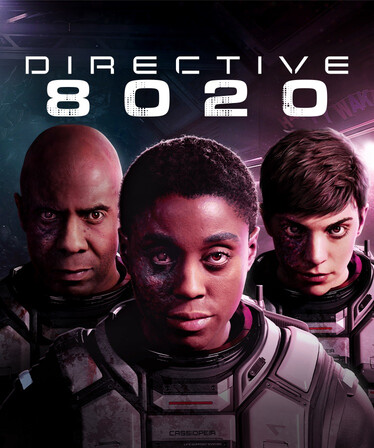
Directive 8020 is the latest sci‑fi survival‑horror entry in The Dark Pictures Anthology, and its tense, resource‑driven gameplay has already attracted a dedicated modding community. The v1.0 +9 Trainer by FLiNG is one of the most popular unofficial tools for players who want to experiment with the game’s mechanics or simply survive its unforgiving alien threat. This article breaks down what the trainer offers, how it works, and what you should know before using it.
Compatibility and Usage Notes
The trainer is built specifically for Directive 8020 v1.0+, and its author notes that it should work with the launch version and early patches. However, as with any trainer, game updates can break functionality. A known issue reported by some users is the trainer requesting a GameAssembly.dll file after a game update.
Launch order: You can start either the game or the trainer first; both orders work fine. Just ensure Num Lock is enabled so the numpad hotkeys register correctly.
Single‑player only: The trainer is intended for offline, single‑player use. Using it in any multiplayer or online context is not advised and may violate the game’s terms of service.
Safety and Legitimacy
Trainers operate by hooking into a game’s memory, which means antivirus software may flag them as false positives. The VGTimes mirror reports that the file has been checked against VirusTotal and is considered safe. If you choose to download, use a reputable source, add an exception only if you trust the file, and keep in mind that unofficial tools always carry some risk.
It is also worth noting that using a trainer disables achievements and may affect game stability. For a pure, intended experience, play without modifications. CONTROL Resonant TRAINER
Steps to Apply a Game Trainer
1. First, launch/run the game and get to the main menu or into gameplay.
2. Then open the trainer application separately (usually its own.exe, like GameName.Trainer.exe).
3. A window will appear showing options like Infinite Health, Unlimited Ammo, God Mode, etc.
4. Note the Hotkey (F1, F2, F3…) listed next to each option these are the keys you’ll press in-game to turn that feature ON/OFF.
5. Switch back to the game window (Alt+Tab) and press the hotkeys during gameplay; the feature will activate instantly.
6. If the trainer shows “Not attached” or “Game not detected”, close the trainer, reopen it with Run as Administrator, and make sure the game is already running before you open the trainer.
7. The trainer only works while both the game and trainer are open — closing the trainer will remove its effects.
Downlod Note About Security: When you click the download link, you will be redirected to a hosting site where you may find some fake download buttons. Please be careful when clicking these buttons.